
RTM Zones mt4/mt5 Indicator
An MT4/MT5 indicator that draws RTM zones from the lines you place on your chart. Made by the person who made the method, for people who already trade it.
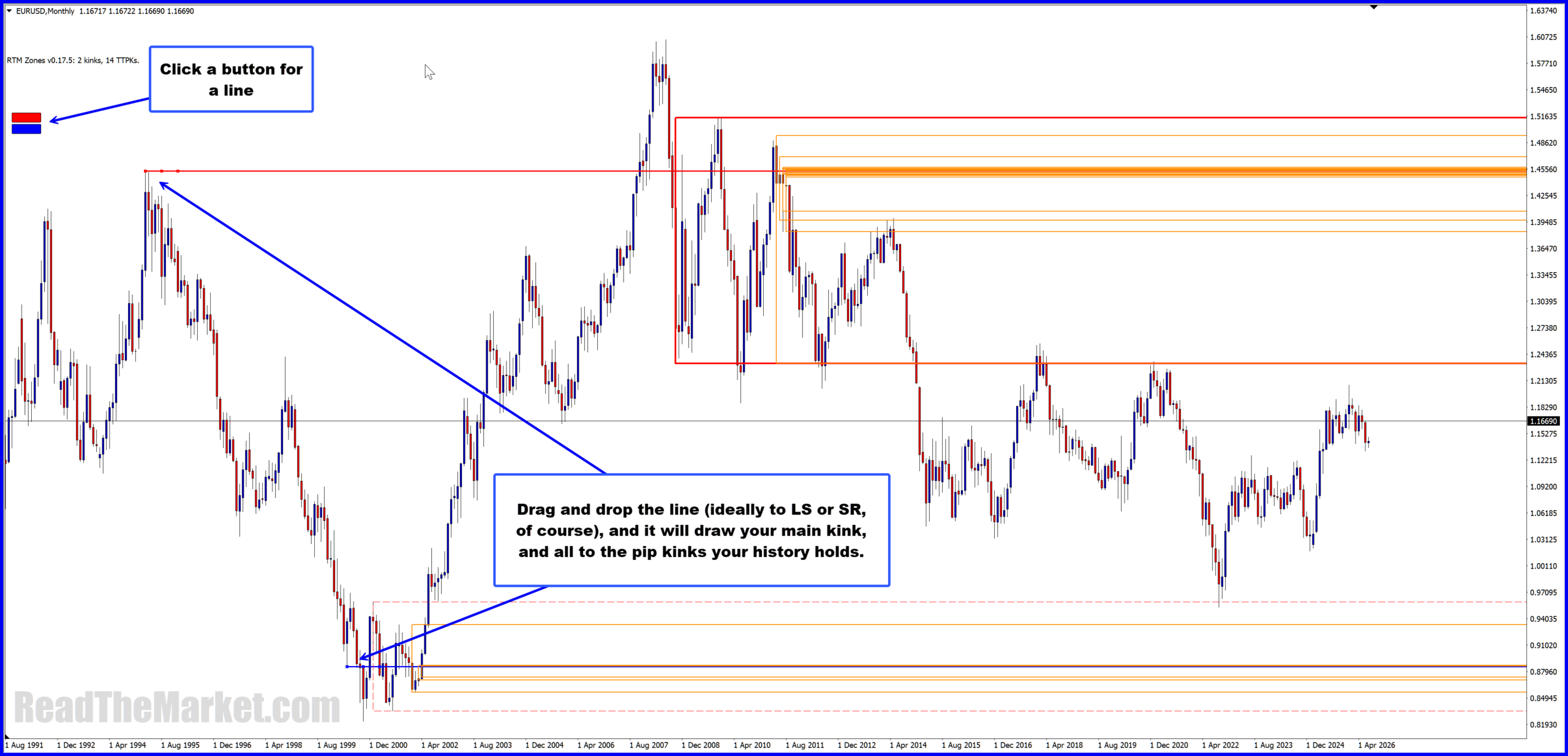
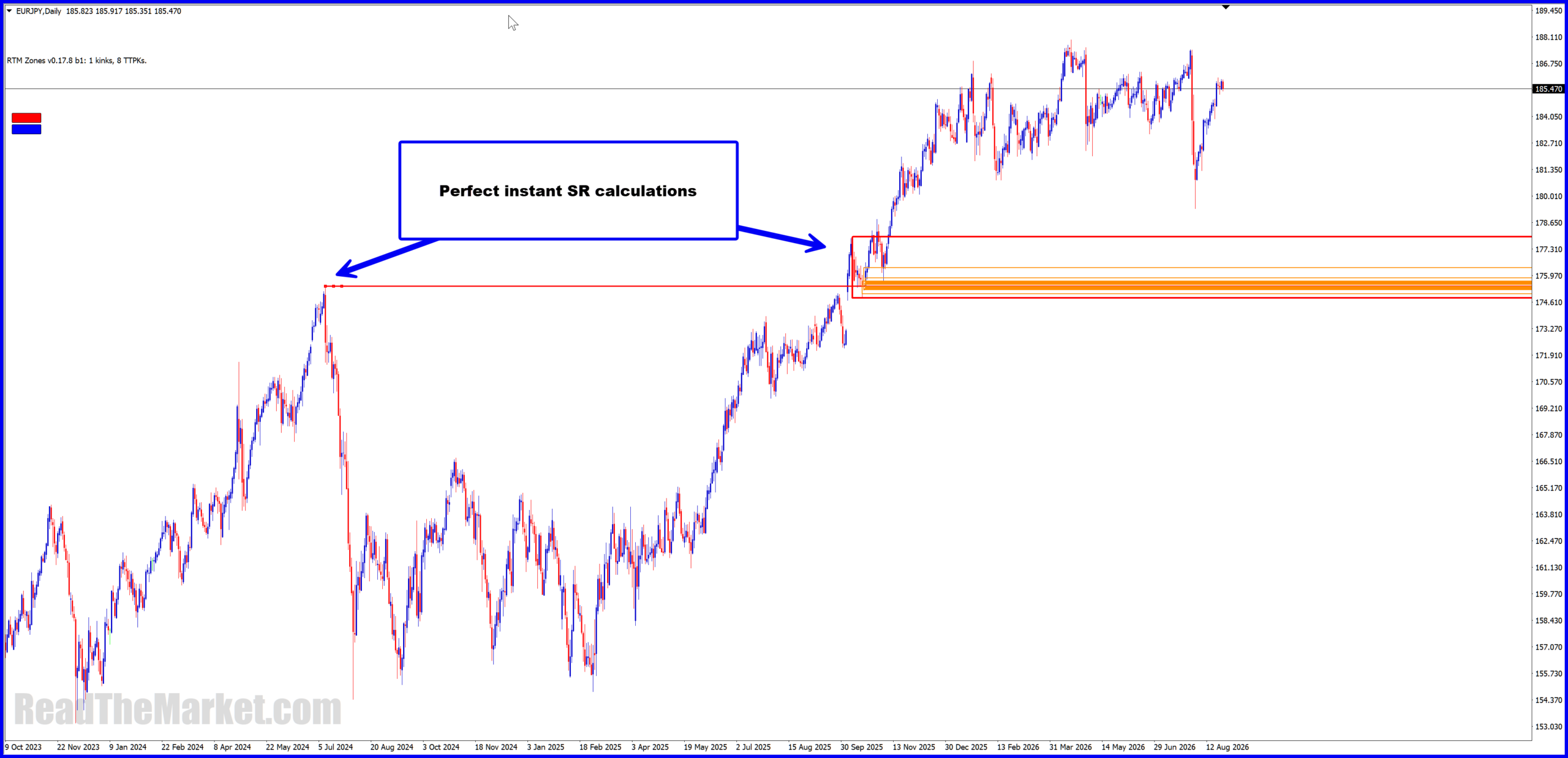
RTM Zones on live MT4 charts; the MT5 version draws the same zones from the same lines. Click an image to enlarge.
What it does
- You draw horizontal lines on your chart, or spawn them with the indicator’s on-chart buttons.
- It draws the RTM zones those lines produce, as rectangles, across timeframes down to M1.
- It keeps them current as price moves.
- Your lines and zones survive restarts, timeframe changes and template loads. Drag a line to a new price or delete it and its zones go with it.
What it does not do
- No alerts, no notifications, no messages of any kind. It draws on your chart and that is all.
- It does not tell you what to do. The lines are yours, the zones come from your lines, and what you make of the drawing is yours too.
It is a drawing tool. It cuts out the manual marking-up; it does not replace your judgement.
Who it is for
People who already know the RTM method, or those who want perfect SR kinks. It draws zones from the lines you place, so if you do not know where RTM lines go, it will draw you nothing useful. This is not a way to learn RTM; it is a tool for people who have.
What you need
- MetaTrader 4 or MetaTrader 5 on Windows. It runs inside your own terminal, on your own broker’s chart. You choose your platform at checkout.
- The account number you do your charting on — demo or live. Your build is compiled personally for that one account, so have the number ready at checkout. It is in the title bar of your terminal.
- Ordinary hardware handles around 20 to 30 lines per chart. Strong machines take more. A chart with over a hundred lines on a low-end laptop is outside what this is built for. Charts anchored to M1 with many lines will churn; that is the nature of the work being done.
- The indicator ships no price data. It works on whatever chart you already have.
Monthly builds
Each build runs for about a month. Before it expires, subscribers are sent the next build by email. You drop the new file in, restart the platform, and carry on. The last seven days of a build, the chart shows how many days remain.
If a build expires before you install the next one, the zones are hidden and the chart tells you to install your renewal build. Nothing is deleted. Your lines and zone memory are kept, and installing the new build brings everything back.
This means everyone is always on the current engine, and there is never an “old version” problem to support.
See it in use
Price
Prices in euro. Payment by card through Stripe. At checkout you pick MT4 or MT5 and enter your account number. The card statement shows RTM ZONES.
After you pay
Your build — RTM_Zones.ex4 for MT4, RTM_Zones.ex5 for MT5 — and install steps are sent to the email address you use at checkout, usually within minutes; occasionally a little longer. Install is the standard custom-indicator procedure: File → Open Data Folder → MQL4 (or MQL5) → Indicators, drop the file in, refresh the Navigator or restart the terminal, drag it onto a chart. Keep the filename exactly as sent; your charts and templates bind to it.
Switching platforms later, or a demo account that renewed with a new number? Reply to your delivery email with the change and your next build is made for it. One account per build.
Refunds
If it is not for you, email within 7 days of purchase and you get a full refund, no questions asked.
Support
Email admin@readthemarket.com. Support is in English only.
Licence
One subscription is for one person and one account. Reverse-engineering, resale and sharing the file are prohibited under the licence terms.
 English (UK)
  فارسی
فارسی  العربية
  Français
  Deutsch
  Bahasa Indonesia
  Español